1. Understanding Strava Metrics
Strava has evolved from a simple activity logging platform to a comprehensive training analysis tool. Understanding its metrics helps you train smarter, avoid overtraining, and peak for your key events. Here's what the numbers actually mean.
Core Strava Metrics
- Relative Effort: Heart rate-based training load score
- Fitness (CTL): Long-term training load average
- Fatigue (ATL): Short-term training load average
- Form (TSB): Difference between fitness and fatigue
- Suffer Score: Legacy term for Relative Effort
Data Requirements
For accurate analysis, Strava needs quality data from your activities:
Essential Data
- Heart rate (for Relative Effort)
- GPS for distance/pace
- Accurate max heart rate setting
- Consistent device usage
Enhanced Data
- Power meter (cycling)
- Running power (Stryd/watch)
- Cadence sensor
- Elevation from barometer
Setting Up Accurate Data
Your analysis is only as good as your data inputs:
Critical Settings to Verify
- Max Heart Rate: Update from recent hard effort, not age formula
- FTP (Cycling): Update after each FTP test for accurate zones
- Weight: Keep current for power-to-weight calculations
- Heart Rate Zones: Customize if using specific training system
- Pace Zones: Set based on recent race times
2. Relative Effort Explained
Relative Effort (formerly Suffer Score) quantifies workout stress using heart rate data. It's Strava's implementation of Training Impulse (TRIMP), making different workouts comparable regardless of type or duration.
How Relative Effort Is Calculated
Time in each heart rate zone is weighted exponentially:
- Zone 1 (50-60% max): Minimal weight (recovery)
- Zone 2 (60-70% max): Low weight (aerobic base)
- Zone 3 (70-80% max): Moderate weight (tempo)
- Zone 4 (80-90% max): High weight (threshold)
- Zone 5 (90-100% max): Very high weight (VO2max)
Interpreting Relative Effort Scores
| Score Range | Effort Level | Example Workout |
|---|---|---|
| 0-50 | Easy/Recovery | Easy 30-min jog |
| 50-100 | Moderate | 60-min endurance run |
| 100-150 | Hard | Tempo run or long ride |
| 150-250 | Very Hard | Hard intervals, long run |
| 250+ | Extreme | Race, epic ride |
Weekly Relative Effort Targets
Use these guidelines to plan weekly training load:
3. Fitness & Freshness Curves
Strava's Fitness & Freshness chart visualizes your training balance over time. Understanding these curves helps you build fitness while managing fatigue and peaking for events.
The Three Curves Explained
42-day rolling average of Relative Effort. Represents your accumulated training adaptation. Rises slowly, falls slowly.
7-day rolling average of Relative Effort. Represents recent training stress. Rises quickly, falls quickly.
Fitness minus Fatigue. Positive = fresh, Negative = fatigued. Target for race day: +5 to +25.
Reading Your Form Score
| Form Range | Status | Action |
|---|---|---|
| +25 or higher | Transition/Detraining | Resume training soon |
| +5 to +25 | Fresh/Peak | Ideal for racing |
| -10 to +5 | Neutral | Good training zone |
| -30 to -10 | Fatigued | Building fitness |
| Below -30 | High Risk | Consider rest/recovery |
Planning a Peak
To peak for a goal race, manipulate the curves strategically:
Peaking Timeline
- 8-12 weeks out: Build phase - increase training load, fitness rises
- 4-6 weeks out: Peak training - maintain high load, form drops to -20 to -30
- 2-3 weeks out: Begin taper - reduce volume 20-30%
- Race week: Sharpen - light workouts, form rises to +5 to +15
- Race day: Target form of +10 to +25 for optimal performance
4. Power Curves & Performance
For cyclists with power meters, Strava's power curve reveals your strengths, weaknesses, and fitness changes across different durations. It's one of the most valuable training tools available.
Understanding the Power Curve
The curve shows your best average power for every duration, revealing your physiological profile:
- 5-15 seconds: Neuromuscular power (sprint)
- 30 sec - 2 min: Anaerobic capacity
- 3-8 minutes: VO2max power
- 20-60 minutes: Threshold power (FTP)
- 60+ minutes: Endurance/fatigue resistance
Analyzing Your Rider Profile
Sprinter Profile
- Curve peaks at short durations
- High 5-15 second power
- Steep drop-off after 1 minute
- Focus: Maintain sprint, build endurance
Time Trialist Profile
- Relatively flat curve
- Strong 20-60 minute power
- High FTP relative to short power
- Focus: Build short power, maintain threshold
Climber Profile
- Excellent power-to-weight
- Strong 5-20 minute power
- May lack absolute power
- Focus: Maintain climbing, add mass/power
Rouleur Profile
- Balanced across durations
- Good all-around power
- No major weaknesses
- Focus: Develop specific race demands
Tracking Power Progress
Compare power curves over different time periods to see improvement:
- This week vs last week: Short-term fatigue or freshness
- Last 6 weeks: Current form and recent training effects
- This year: Season-long progress
- All time: Career bests and peak fitness
5. Using Segments for Training
Strava segments transform any road or trail into a virtual racecourse. Used strategically, they're powerful training and progress-tracking tools.
Strategic Segment Use
- Benchmark segments: Select 3-5 key segments to track monthly
- Terrain variety: Include flat, climb, and technical segments
- Effort timing: Attempt PRs when fresh, not during training blocks
- Weather adjustment: Note conditions for fair comparisons
Segment-Based Workouts
Hill Repeat Segments
Find 2-5 minute climb segments. Perform 4-6 repeats, tracking power and time each effort. Compare splits to gauge pacing and fatigue.
Threshold Segments
Use 10-20 minute flat segments for threshold work. Aim for consistent power rather than PRs during training. Compare heart rate at same power over time.
The gear these numbers assume
Every pace, zone and power figure on this page assumes something is measuring it. These are the three that cover running, cycling and the threshold work in between.
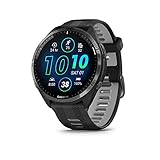 Garmin Forerunner 965
Multisport with the training-load and threshold metrics most of these calculations assume you can actually see day to day.
Check Backcountry → Check price on Amazon → COROS APEX 2 Series GPS Watch
Sapphire titanium and the longest battery in its class, which is the deciding feature once sessions run past a few hours.
Check Backcountry → Check price on Amazon → Favero Assioma Uno Power Meter Pedal
Single-sided pedal power, the cheapest honest way to start training with watts instead of estimating from heart rate.
Check Backcountry → Check price on Amazon →As an Amazon Associate we earn from qualifying purchases, at no extra cost to you. Prices change, so check before buying.
Sprint Segments
Short 10-30 second segments for sprint practice. Note starting speed, peak power, and fatigue in final seconds.
Segment Hunting Etiquette
Warning: Don't let segment hunting compromise safety or training quality. Avoid racing segments during recovery days, in traffic, or poor conditions. The leaderboard isn't worth a crash or overtraining.
6. Running-Specific Analysis
Runners have unique metrics in Strava beyond basic pace and distance. Understanding these helps optimize training and racing performance.
Key Running Metrics
- GAP (Grade Adjusted Pace): Normalizes pace for elevation changes
- Cadence: Steps per minute - target 170-180 for efficiency
- Heart Rate Zones: Time in each zone distribution
- Pace Zones: Time at different effort levels
- Running Power: If using Stryd or watch-based power
Grade Adjusted Pace (GAP)
GAP shows what your effort would equal on flat ground:
When GAP Helps
- Hilly training runs
- Trail running
- Comparing routes fairly
- Understanding true effort
GAP Limitations
- Estimates vary by grade
- Doesn't account for terrain
- Individual variation exists
- Less accurate on steep grades
Analyzing Cadence Trends
Track cadence changes over time and across paces:
- Easy runs: Cadence may drop 5-10 spm vs faster running
- Tempo/threshold: Should match or exceed easy run cadence
- Speed work: Highest cadence, usually 180+
- Fatigue indicator: Dropping cadence late in runs signals fatigue
7. Cycling-Specific Analysis
Cyclists with power meters have access to Strava's most detailed analytics. Even without power, you can extract valuable insights from ride data.
Power-Based Metrics
| Metric | What It Shows | Target |
|---|---|---|
| Normalized Power (NP) | Physiological cost of variable power | Compare to average for variability |
| Intensity Factor (IF) | NP as percentage of FTP | 0.7-0.85 for endurance, 0.9+ for hard |
| Variability Index (VI) | NP divided by average power | 1.0-1.05 for steady, 1.1+ for variable |
| Training Stress Score (TSS) | Total workout stress | 150-300 for hard workout |
Non-Power Analysis
Even without power, analyze these metrics:
Heart Rate Analysis
- Time in each HR zone
- HR:Pace ratio (cardiac drift)
- Recovery heart rate post-effort
- Max HR achieved
Efficiency Metrics
- Speed at given HR (aerobic efficiency)
- Climbing performance (VAM)
- Segment times at similar HR
- Cadence distribution
8. Managing Training Load
The ultimate goal of Strava analysis is optimizing your training load - training hard enough to improve but not so hard that you overtrain or get injured.
Weekly Load Guidelines
Signs of Overload
Watch for these warning signs in your Strava data:
Red Flags
- Form below -30 for over a week
- Elevated resting heart rate
- Power/pace declining at same HR
- Segments slowing despite effort
- Weekly RE jumps over 20%
Healthy Signs
- Form oscillates -20 to +10
- Gradual fitness increase
- Speed at same HR improving
- Consistent weekly patterns
- Good performances when fresh
Periodization with Strava
Use Strava data to structure training blocks:
- Base Phase: Low Relative Effort scores, high volume, form near 0
- Build Phase: Increasing RE, form drops to -10 to -20
- Peak Phase: Highest weekly RE, form at -20 to -30
- Taper Phase: Decreasing RE, form rises to +10 to +20
- Race: Minimal training, form peaks at +15 to +25
- Recovery: Very low RE, form may spike to +30+
9. Frequently Asked Questions
Do I need Strava Premium for training analysis?
Many advanced features like Fitness & Freshness, power curves, and detailed segment analysis require Strava Premium (Summit). The free version provides basic activity logging and limited insights. For serious training analysis, the subscription is worthwhile.
Why is my Relative Effort different from my friend's for similar workouts?
Relative Effort is personalized to your max heart rate and zones. Two people running the same pace will have different scores based on their fitness. Additionally, data quality (heart rate monitor accuracy, lag) affects calculations. Compare your own trends, not others' numbers.
How accurate is Strava's FTP estimate?
Strava estimates FTP from your power curve, but it's less accurate than a proper FTP test. It may overestimate if you frequently do hard short efforts or underestimate if you rarely push threshold efforts. Use it as a ballpark, but perform periodic 20-minute or ramp tests for accuracy.
Should I sync all my activities to Strava?
Yes, sync everything for accurate Fitness & Freshness tracking. Unsynced activities create gaps in your training load calculation, making the data less reliable. This includes cross-training, strength sessions, and even walks if you want complete load tracking.
Can Strava replace a coach or structured training plan?
Strava provides excellent post-hoc analysis but doesn't prescribe workouts or adapt to your responses. It's best used alongside a training plan or coach to validate that prescribed training is producing expected results. The data can inform coach conversations and plan adjustments.
📊 Track Your Progress
Use our free calculators to monitor your fitness: