
Quick Answer: 5 HR Zones: Z1 (50-60%), Z2 (60-70%), Z3 (70-80%), Z4 (80-90%), Z5 (90-100%) of max HR

Heart Rate Zone Calculator

Calculate your complete 5-zone heart rate training system. Get personalized training zones for optimal endurance development across all intensity levels.

Athlete monitoring heart rate zones during training session

Calculate Your Training Zones

Your current age in years

For Karvonen method accuracy

Choose your preferred max HR calculation

Understanding the 5 Heart Rate Training Zones

Heart rate training zones are intensity ranges based on percentages of your maximum heart rate. Each zone targets different physiological adaptations and training benefits.

Zone 1: Recovery (50-60% Max HR)

  • Purpose: Active recovery and easy base training
  • Feel: Very easy, can hold full conversations
  • Benefits: Promotes recovery, fat burning, aerobic base
  • Training: Easy runs, cool-downs, recovery rides

Zone 2: Aerobic Base (60-70% Max HR)

  • Purpose: Aerobic base building and fat oxidation
  • Feel: Comfortable, conversational pace
  • Benefits: Improves fat burning, mitochondrial function
  • Training: Long runs, base rides, most training volume

Zone 3: Aerobic (70-80% Max HR)

  • Purpose: Aerobic capacity development
  • Feel: Moderate effort, some conversation possible
  • Benefits: Improves aerobic power and endurance
  • Training: Tempo runs, steady-state efforts

Zone 4: Lactate Threshold (80-90% Max HR)

  • Purpose: Lactate threshold and VO2 max development
  • Feel: Hard effort, difficult to talk
  • Benefits: Improves lactate clearance and anaerobic capacity
  • Training: Threshold intervals, race pace efforts

Zone 5: VO2 Max (90-100% Max HR)

  • Purpose: Maximum aerobic power development
  • Feel: Very hard, cannot speak
  • Benefits: Improves VO2 max and anaerobic power
  • Training: Short intervals, all-out efforts

How to Use Your Heart Rate Zones

Use these zones to structure your training program:

  • 80/20 Rule: Spend 80% of training time in Zones 1-2, 20% in Zones 3-5
  • Progressive Build: Start with more Zone 1-2, gradually add higher zones
  • Periodization: Vary zone emphasis based on training phase
  • Recovery: Use Zone 1 for active recovery days

Featured at Backcountry — 15% off first order
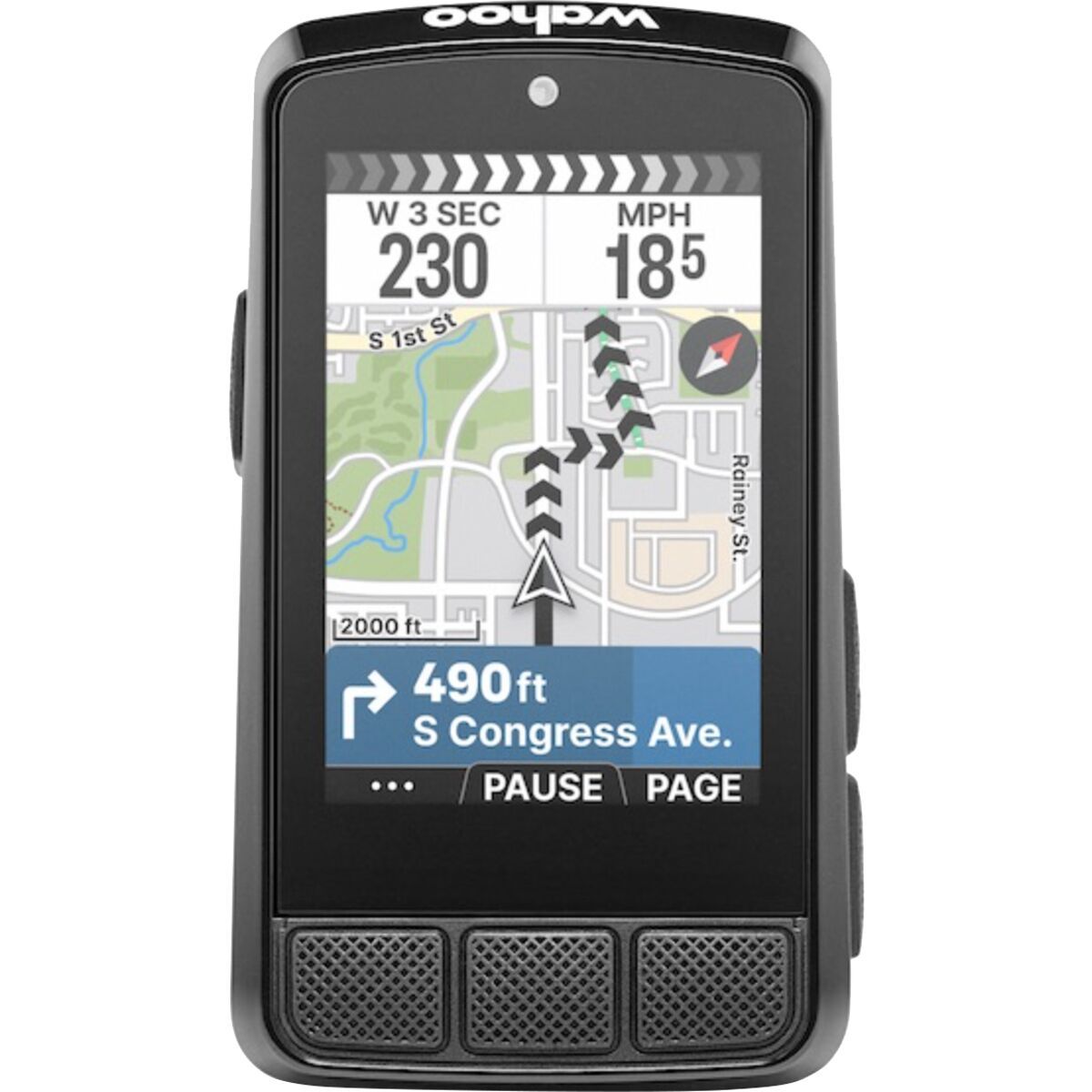
Wahoo ELEMNT BOLT 3

Wahoo ELEMNT BOLT 3

Pair with any ANT+ or Bluetooth HR monitor. Displays training zones in real time.
<\!-- FAQ Section -->

Get Accurate Heart Rate Data

Garmin HRM-Dual

For precise heart rate zone training, you need accurate data. The Garmin HRM-Dual provides medical-grade accuracy for all your training sessions.

  • Premium heart rate strap with real-time accuracy
  • Dual transmission (ANT+ & Bluetooth)
  • Works with Garmin watches, Zwift, Peloton, and more
  • 3.5 year battery life

Affiliate Disclosure: Product links may earn us a commission at no additional cost to you. This helps support our free calculators.

❤️

Garmin HRM-Dual

Premium Heart Rate Monitor

Frequently Asked Questions

How do I find my maximum heart rate?

The 220-minus-age formula is a rough estimate. For accuracy, perform a supervised max HR test or use the formula: 208 - (0.7 × age) for better results.

Which heart rate zone burns the most fat?

Zone 2 (60-70% max HR) burns the highest percentage of fat, but higher zones burn more total calories. For weight loss, total calorie burn matters most.

How much time should I spend in each zone?

Typical distribution: Zone 1-2: 70-80%, Zone 3: 10-15%, Zone 4: 5-10%, Zone 5: 1-5%. This builds aerobic base while developing speed and power.

Why is my heart rate high on easy runs?

Common causes: dehydration, heat, stress, fatigue, illness, or cardiac drift. Also, you may be running too fast for your current fitness level.

Should I use chest strap or wrist HR monitor?

Chest straps are more accurate, especially during intervals. Wrist monitors work well for steady-state efforts but may lag during rapid HR changes.

Complete Heart Rate Zone Training Guide

💓 Understanding Your Heart Rate Zones

1

Recovery

50-60% Max HR

  • • Active recovery
  • • Easy walking
  • • Warm-up/cool-down
2

Aerobic Base

60-70% Max HR

  • • Fat burning
  • • Easy conversational pace
  • • Base building
3

Aerobic

70-80% Max HR

  • • Steady state
  • • Moderate effort
  • • Endurance building
4

Threshold

80-90% Max HR

  • • Lactate threshold
  • • Comfortably hard
  • • Tempo training
5

VO2 Max

90-100% Max HR

  • • Maximum effort
  • • Interval training
  • • Speed development

Garmin vs Apple Watch vs Polar: Heart Rate Zone Systems Compared

Different fitness platforms use slightly different heart rate zone calculations. Here's how the major brands compare and how to set up your zones correctly.

G

Garmin Heart Rate Zones

Zone 1 50-60% Max HR
Zone 2 60-70% Max HR
Zone 3 70-80% Max HR
Zone 4 80-90% Max HR
Zone 5 90-100% Max HR

Setup: Garmin Connect > Device Settings > User Settings > Heart Rate Zones

A

Apple Watch HR Zones

Zone 1 <60% Max HR
Zone 2 60-70% Max HR
Zone 3 70-80% Max HR
Zone 4 80-90% Max HR
Zone 5 90-100% Max HR

Setup: Health App > Browse > Heart > Heart Rate Zones

P

Polar Heart Rate Zones

Zone 1 50-60% Max HR
Zone 2 60-70% Max HR
Zone 3 70-80% Max HR
Zone 4 80-90% Max HR
Zone 5 90-100% Max HR

Setup: Polar Flow > Settings > Physical Settings > Heart Rate

Key Differences Between Platforms

Feature Garmin Apple Watch Polar
Max HR Detection Auto + Manual Auto-calculated Auto + Manual
Custom Zones Yes (5 or 7) Limited Yes (5)
LTHR-Based Zones Yes No Yes
Real-Time Zone Alerts Yes Yes Yes
Zone Time Analysis Detailed Basic Detailed
How to Set Up Garmin HR Zones:
  1. Open Garmin Connect app or website
  2. Go to Device Settings > User Settings
  3. Select Heart Rate Zones
  4. Enter your max HR from this calculator
  5. Choose "Based on % Max HR" or "Based on % HRR"
  6. Sync to your Garmin device
Pro Tips for Accurate Zones:
  • Use a chest strap for max HR tests
  • Retest max HR every 6-12 months
  • Consider LTHR-based zones for serious training
  • Update zones if your fitness changes significantly
  • Use the same method on all your devices

How to Set Up Heart Rate Zones on Your Device

Use the zones from the calculator above and enter them into your watch or app. Here is exactly how to do it on each platform.

How to Set Heart Rate Zones on Garmin

  1. Open the Garmin Connect app and tap the device icon
  2. Navigate to Device Settings > User Settings > Heart Rate Zones
  3. Choose "Based on Max HR" or "Based on Heart Rate Reserve" (Karvonen method)
  4. Enter your actual max HR from a field test rather than the 220-minus-age default
  5. Edit each zone boundary to match the values from the calculator above
  6. Sync your device to apply the changes
Important: Garmin's factory-default zones use generic percentages that may not match your physiology. Entering a tested max HR and custom boundaries gives you far more accurate training feedback. If you know your true max heart rate, start there.

How to Set Heart Rate Zones on Apple Watch

  1. Open the Health app on your iPhone and go to Browse > Heart > Heart Rate Zones
  2. By default Apple Watch auto-calculates zones from your health data
  3. To customize: open Settings > Workout > Heart Rate Zones > Manual
  4. Enter zone boundaries that match your calculated zones from above
Limitation: Apple Watch relies on an optical wrist sensor only, which can drift by 5-10 bpm during high-intensity intervals. For threshold and VO2 max work, pair a Bluetooth chest strap for better accuracy.

How to Set Heart Rate Zones on Polar

  1. Open Polar Flow (app or web) and go to Settings > Heart Rate Zones
  2. Polar supports up to 5 fully configurable zones with custom boundaries
  3. Enter zone values manually or import from a Running Index test
  4. Optionally run Polar's Fitness Test (OwnIndex) to get a VO2 max estimate that informs zone setup
Tip: Polar's OwnIndex correlates well with lab-tested VO2 max. Combine it with your Zone 2 calculator results for a training plan grounded in real data.

How to Set Heart Rate Zones on COROS

  1. Open the COROS app and go to Profile > Heart Rate Zones
  2. Choose between threshold-based or max HR-based zone calculation
  3. For threshold-based zones, enter your LTHR from a field test
  4. Edit each zone boundary to match the values from your calculation
Note: COROS threshold-based zones are more useful for experienced athletes who have done a proper lactate threshold test. If you are unsure of your LTHR, use max HR-based zones instead.

Chest Strap vs Wrist HR: Which Is Better for Zone Training?

Accurate heart rate data is the foundation of zone training. The sensor you use determines how reliable your zone readings actually are.

Wrist Optical HR

Built into most watches

  • -Accuracy: +/-5-10 bpm
  • -Struggles in cold weather
  • -Less reliable on darker skin tones
  • -Lag during intervals
  • +Convenient, always on

Chest Strap

Gold standard (e.g., Garmin HRM-Pro Plus)

  • +Accuracy: +/-1-2 bpm
  • +Instant response to intensity changes
  • +Works in all conditions
  • -Can feel uncomfortable
  • -Extra device to charge

Arm Band

Compromise (e.g., Polar Verity Sense)

  • +Accuracy: +/-2-4 bpm
  • +More comfortable than chest
  • +Good for swimming
  • -Less accurate than chest strap
  • -Can slip during running

Our Recommendation

Use a chest strap for Zone 2 training, threshold workouts, and interval sessions where precision matters. Wrist HR is fine for easy runs where staying in an exact zone is less critical.

For detailed comparisons and our top picks, read our best heart rate monitors for 2026 guide, the complete heart rate monitor guide for runners, and our complete guide to running heart rate zones.

How accurate are heart rate zone calculations?

Heart rate zone accuracy depends on the method used to determine your maximum heart rate:

Age-Based Formula

220 - Age = Max HR

±10-15 bpm accuracy. Simple but less precise for individuals.

Field Test

Actual measured max HR

±2-5 bpm accuracy. More accurate but requires proper testing.

Lab Test

Professionally measured

±1-2 bpm accuracy. Most accurate but requires specialized equipment.

For best results, use our calculator with a known max HR from a recent all-out effort or fitness test.

What's the difference between Karvonen and percentage methods?

There are two main methods for calculating heart rate zones:

Percentage of Max HR Method

Simple percentage of maximum heart rate

Zone 1:50-60% Max HR
Zone 2:60-70% Max HR
Zone 3:70-80% Max HR
Zone 4:80-90% Max HR
Zone 5:90-100% Max HR

Karvonen Method (HRR)

Uses heart rate reserve for more personalized zones

Formula: (Max HR - Resting HR) × % + Resting HR

More accurate for individuals with very high or low resting heart rates.

Recommendation: Use Karvonen method if your resting HR is below 50 or above 80 bpm for more accurate zones.

How should I train in each heart rate zone?

Each heart rate zone targets different physiological adaptations and training goals:

Zone 2 (Aerobic Base) - 60-70% Max HR

Training Purpose:

  • • Fat oxidation
  • • Mitochondrial development
  • • Aerobic base building

Workout Examples:

  • • 45-90 min easy runs
  • • Long bike rides
  • • Recovery sessions

Training Volume:

  • • 70-80% of total training
  • • Daily for experienced athletes
  • • Foundation of all training

Zone 4 (Threshold) - 80-90% Max HR

Training Purpose:

  • • Lactate buffering
  • • Metabolic efficiency
  • • Race pace development

Workout Examples:

  • • 20-40 min tempo runs
  • • 2×20 min intervals
  • • Time trial efforts

Training Volume:

  • • 10-15% of total training
  • • 1-2 sessions per week
  • • Key for race performance

Zone 5 (VO2 Max) - 90-100% Max HR

Training Purpose:

  • • VO2 max improvement
  • • Cardiac output
  • • Neuromuscular power

Workout Examples:

  • • 5×3 min intervals
  • • 8×400m repeats
  • • Hill repeats

Training Volume:

  • • 5-10% of total training
  • • 1 session per week
  • • High intensity focus

What factors affect heart rate during exercise?

Several factors can cause your heart rate to be higher or lower than expected during training:

Factors That Increase HR:

  • Heat & humidity: +10-20 bpm in hot conditions
  • Dehydration: +5-15 bpm when fluid depleted
  • Altitude: +10-30 bpm above 8,000 feet
  • Caffeine: +5-10 bpm for 2-4 hours
  • Fatigue/stress: +5-20 bpm when overtrained
  • Illness: +10-30 bpm during infection

Factors That Decrease HR:

  • Cool conditions: -5-10 bpm in cold weather
  • Good fitness: Lower HR at same effort
  • Beta blockers: -20-40 bpm medication effect
  • Age: Max HR decreases ~1 bpm/year
  • Overtraining: Suppressed HR response

Training Tip: Use heart rate trends over time rather than single workout data. Consider using RPE (Rate of Perceived Exertion) alongside HR for more complete training intensity guidance.

How do heart rate zones change with age and fitness?

Heart rate zones are not static and change based on several factors:

Age-Related Changes:

  • Maximum HR: Decreases ~1 bpm per year after age 25
  • Resting HR: May increase 2-5 bpm per decade
  • Recovery: Takes longer to return to baseline
  • Zone ranges: Shift lower as max HR decreases

Example: A 50-year-old has ~25 bpm lower max HR than at age 25, shifting all zones downward.

Fitness-Related Changes:

  • Resting HR: Decreases 5-15 bpm with fitness
  • HRV: Improves with cardiovascular adaptation
  • Efficiency: Same pace at lower heart rate
  • Recovery: Faster return to resting levels

Tip: Recalculate zones every 3-6 months as fitness improves or after significant training changes.

<\!-- Related Calculators Section -->

Related Calculators

📚 Master Heart Rate Training

Now that you know your zones, learn how to use them effectively

🗺️ Explore the Heart Rate Training Hub

Access all related calculators, guides, and training plans in one place.

Visit Heart Rate Training Hub →